· Updated ·  Sathyanand S · Tools & Resources · 23 min read
7 Best YouTube SEO Tools for Business in 2026 (Ranked by Leads)
We tested 7 YouTube SEO tools on B2B channels and ranked them by one metric: did they help generate leads? TubeBuddy, vidIQ, and 5 others compared.
Most YouTube SEO tools were built for the same goal: more views. More subscribers. Higher watch time. Those metrics matter if you publish for an audience. They matter far less if you publish to acquire customers.
YouTube SEO tools were designed with creators in mind. A business channel needs something different. It needs to surface the phrases a potential buyer types when they are close to a decision, not when they are still figuring out whether the problem is worth solving.
That distinction changes which youtube seo tools are actually worth your time. This post covers seven of them, reviewed for SaaS founders, Shopify merchants, agencies, coaches, and consultants who want YouTube to do business work, not just get watched.
A YouTube SEO tool for businesses should do one thing above all else: surface the queries buyers type when they are close to a decision, not the queries viewers type when they are curious about a topic. The two audiences behave differently. The tools that serve them need to work differently too.
Last updated: June 2026. Methodology: each tool was used hands-on against the four business criteria below (buyer-intent keyword discovery, competition context, metadata diagnosis, and conversion alignment). Ratings shown are real third-party ratings with the platform and source linked; where a tool has no meaningful third-party rating, we say so rather than invent one.
Key Takeaways
- YouTube SEO tools built for creators optimise for reach and watch time. Business channels need tools that surface buyer-intent keywords, not trending topics.
- A keyword with 500 monthly searches from decision-stage buyers will drive more leads than one with 50,000 searches from casual viewers.
- If your videos are getting views without driving enquiries, the issue is almost always the same: titles and descriptions optimised for curiosity, not for the decision-stage query your buyer actually typed.
- TubeBuddy and vidIQ are strong for workflow efficiency and competitor tracking, but neither diagnoses whether your video metadata is aligned to commercial intent.
- Semrush's YouTube keyword tool is a standalone app at $10/month, worth it if you want cross-platform keyword research without a full Semrush subscription.
- The fastest path to improvement: run your three most important business videos through a business-specific SEO tool and fix the gaps it surfaces before publishing anything new.
Contents
- What Makes a YouTube SEO Tool Right for Business
- How the Tools Stack Up
- The Best YouTube SEO Tools for Business, Reviewed
- Which Tool for Your Situation: A Cheat Sheet
- What the Free Tools Save You vs the Paid Ones
- Common Questions
What Makes a YouTube SEO Tool Right for Business
Most tool comparisons are based on feature count. This one uses a different lens: how well does the tool help a business attract buyers, not just viewers?
Four things matter.
Buyer-intent keyword discovery. The right youtube seo tools surface phrases a potential customer types when they are 70 to 80 percent of the way to a decision. Not trending topics. Not high-volume vanity keywords. “Best CRM for solopreneurs” and “how to set up HubSpot” attract different people. One is close to buying. The other is not.
Competition context. Volume alone is misleading. A keyword with 2,000 monthly searches and weak competition is more valuable to a new channel than one with 20,000 searches dominated by established players. A useful tool tells you whether a keyword is winnable, not just popular.
Metadata diagnosis. A video can rank without reaching buyers. If the title and description are optimised for curiosity-stage queries, you will get views from people who are nowhere near a purchase. A useful tool catches those misalignments and tells you exactly what to fix. Before you can diagnose metadata, you need to know where you rank. Our YouTube Ranking Checker shows your exact position for any keyword, free.
Conversion alignment. A viewer who finds your video through a decision-stage keyword is more likely to visit your site, sign up, or book a call. A tool that helps you match your video metadata to a commercial outcome delivers more value than one that optimises for watch time, which is how to turn SEO wins into booked calls in practice.
These four criteria are the lens this review uses. Not star ratings. Not marketing copy. How well does the tool actually help you get found by the right people?
The bottleneck is rarely content quality. It is keyword selection and metadata alignment.
Read more: The complete guide to YouTube SEO for business channels
How the Tools Stack Up
| Tool | Best For | Pricing | Buyer-Intent Focus | Free Option |
|---|---|---|---|---|
| SellonTube YouTube SEO Tool | Diagnosing why videos miss buyers | Free | High | Yes |
| TubeBuddy | Channel management and bulk editing | From $4.99/month | Low | Yes (limited) |
| vidIQ | Trend monitoring and competitor tracking | Free tier; Pro around $7.50/month | Low | Yes (limited) |
| RyRob’s YouTube Keyword Tool | Fast autocomplete-based keyword ideas | Free | Low | Yes |
| Semrush Keyword Analytics for YouTube | YouTube keyword research with volume + trends | $10/month | Medium | No |
| Morningfame | Peer benchmarking and channel analytics | See site | Low | No |
| Manual YouTube Search | Real competition reality check | Free | Medium | Yes |
The Best YouTube SEO Tools for Business, Reviewed
1. SellonTube YouTube SEO Tool
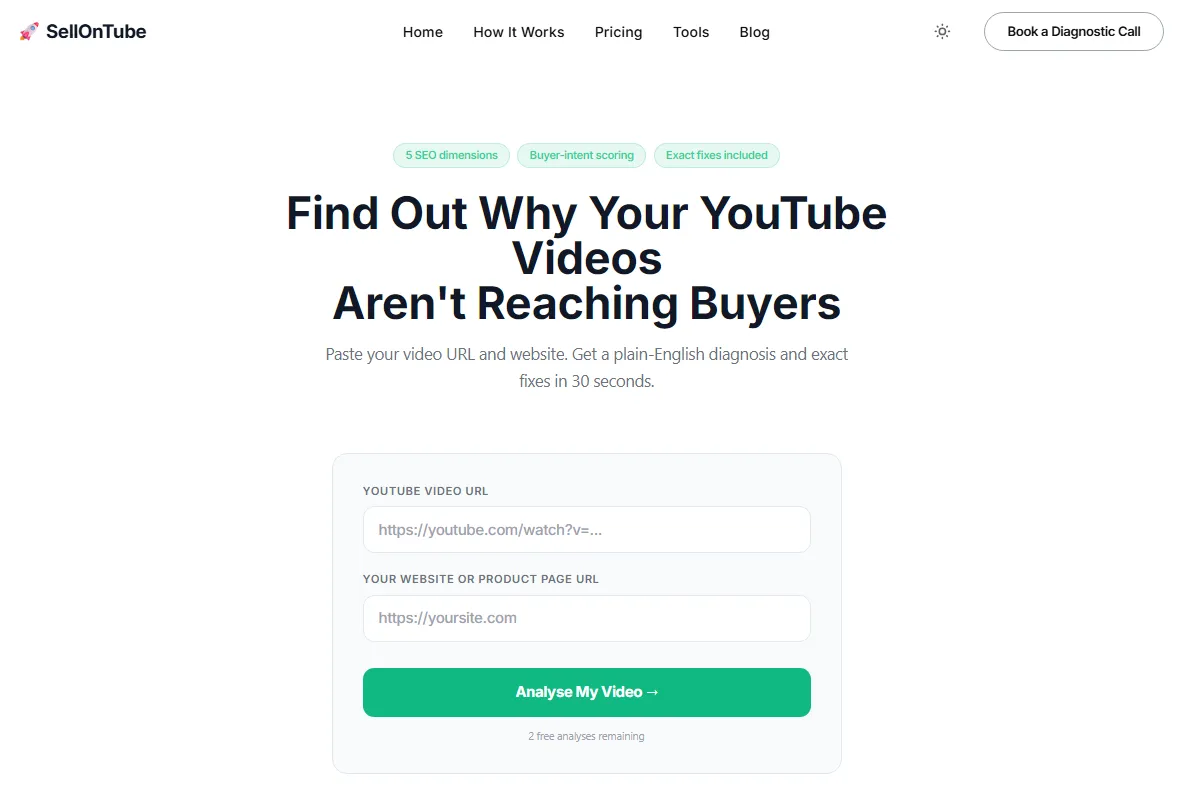
You paste your YouTube video URL and your website URL. Thirty seconds later, you get a diagnosis. Not a score with no context. A plain-English breakdown of the specific reasons your video is not showing up for the people you are trying to reach.
Pricing: Free. 3 analyses with no login, then a free business email. No paid tier.
Reviews: No third-party rating (this is our own tool, disclosed). First-party proof instead: every run returns a plain-English, five-dimension diagnosis you can verify against your own video and website in 30 seconds, with no login for your first 3 runs and no sample-size games.
Key Advantages
- The only tool in this list that diagnoses buyer-intent alignment, not just keyword volume
- Checks five SEO dimensions: title keyword alignment, description opening, chapter structure, tag relevance, and buyer-intent scoring relative to your product. Pair it with the tag generator and description generator to fix issues the audit identifies
- Each dimension returns a specific fix, not a vague suggestion
- Free; 3 analyses need no account, then a free business email
Key Limitations
- Built for SEO diagnosis, not channel management or bulk editing
- If you need A/B thumbnail testing or bulk description updates, TubeBuddy handles that better
Verdict: The right starting point for any business channel that has been getting views without getting customers. Free, takes 30 seconds, and gives you a concrete list of what to fix.
This is the part that separates it from tools built for creators. TubeBuddy and vidIQ will tell you whether a keyword has search volume and how competitive it is. They will not tell you whether the keyword your video is targeting actually matches the intent of the buyer you are trying to reach. That gap is where most business channels lose ground.
Three scenarios where this shows up clearly.
A SaaS founder who has published a series of tutorial videos notices they rank well in search but see no trial signups from YouTube. Running those videos through the tool reveals that every title is optimised for how-to queries, not for queries from people evaluating tools. The fix is a metadata rewrite, not new content.
An agency managing a client’s YouTube channel runs a quarterly audit. Instead of manually reviewing each video’s SEO one by one, they run the top 20 videos through the tool and get a prioritised list of fixes in under an hour.
A coach who sells a group programme notices that demo videos have decent views but no enquiries. The tool identifies that the video descriptions front-load a topic summary instead of a problem statement. Buyers who find the video via search cannot tell within the first few seconds that the video is relevant to them.
Read more: YouTube marketing for B2B: how to turn your channel into a lead source
2. TubeBuddy
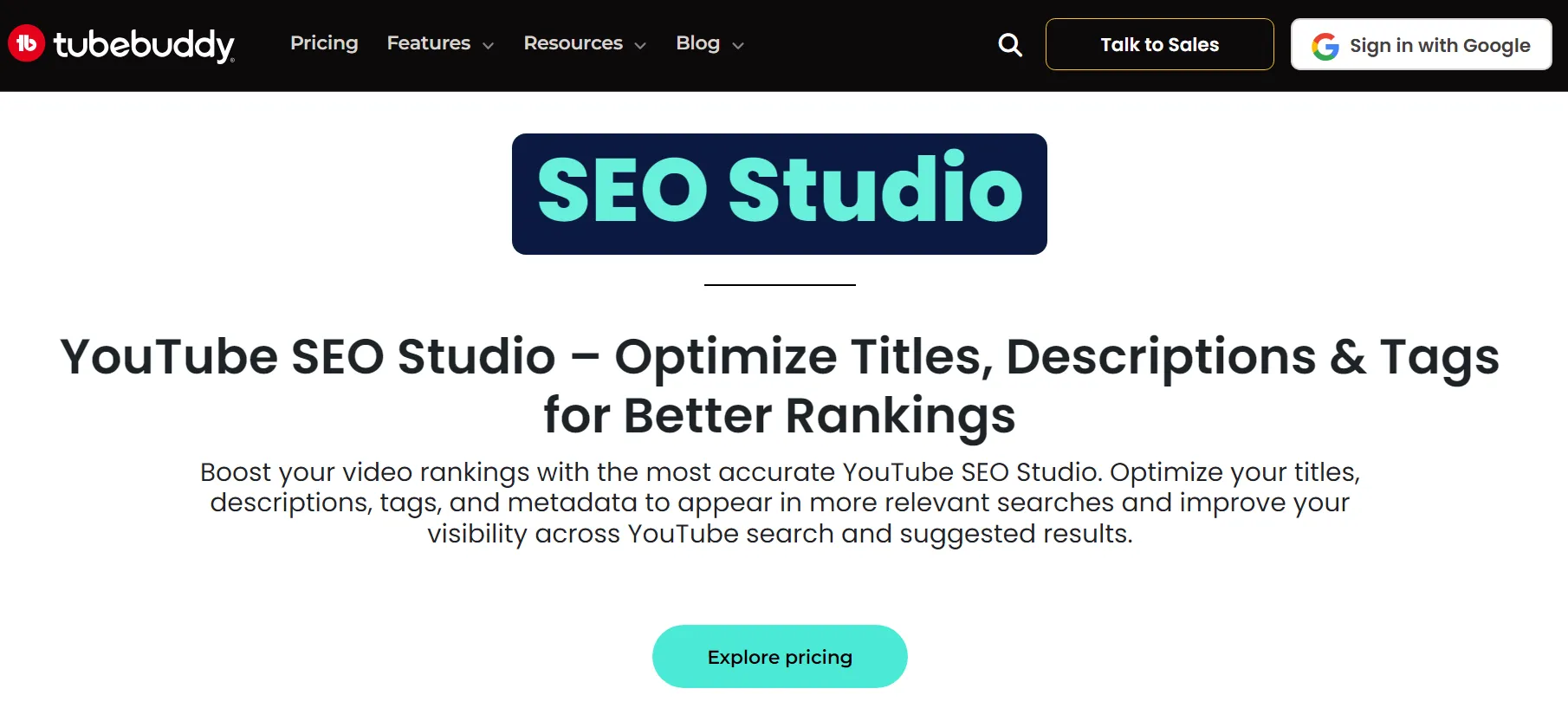
TubeBuddy is an all-in-one YouTube channel management toolkit. It sits inside YouTube Studio as a browser extension, giving you keyword data, A/B testing for thumbnails and titles, bulk processing tools, and an SEO scorecard for each upload.
Pricing: Free tier available. Paid plans from $4.99/month.
Reviews: 4.5/5 on the Chrome Web Store from about 8,500 ratings, and 4.6/5 on Capterra from 113 reviews.
Key Advantages
- A/B thumbnail testing (a feature no other tool in this list offers)
- The bulk editing suite saves real time when managing a large channel
- Keyword explorer covers search volume and estimated competition
Key Limitations
- Optimises for YouTube performance metrics, not commercial outcomes
- Will not tell you whether a keyword reflects buyer intent or casual curiosity
Verdict: The right choice if you already know your target keywords and need workflow efficiency. Not the right starting point if you are still figuring out which queries your buyers actually use.
Here’s the thing: the keyword explorer is solid for identifying search volume and estimated competition. But volume is not the same as intent. A keyword with strong stats can still attract the wrong audience entirely.
3. vidIQ
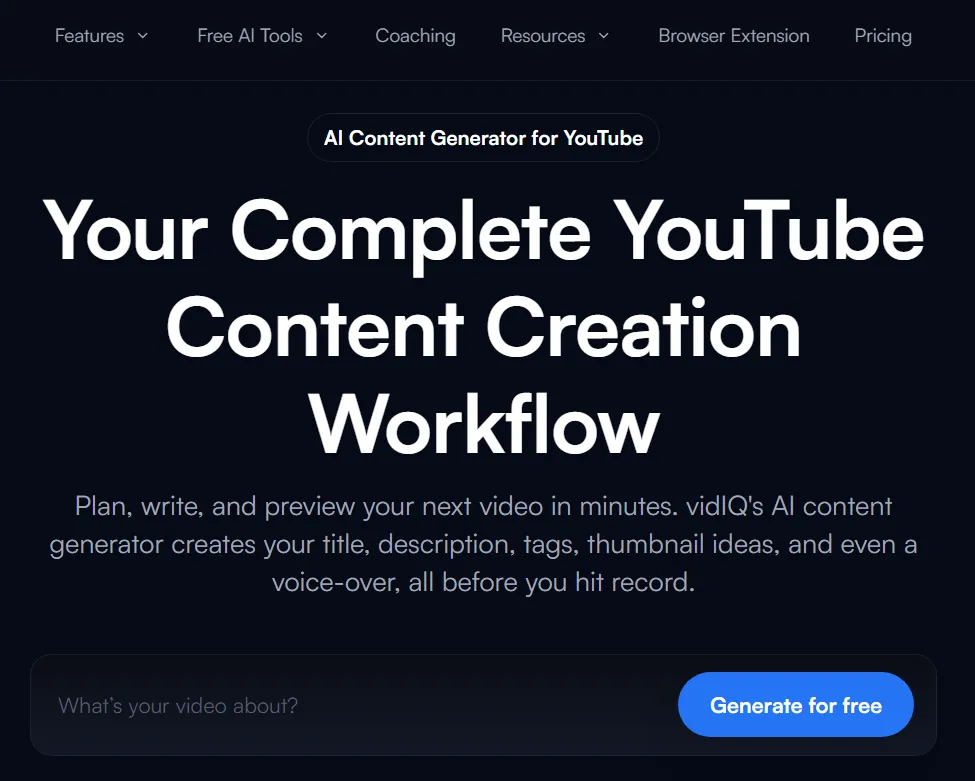
vidIQ’s headline feature is its daily ideas feed: a stream of trending keywords and suggested video topics based on your channel’s history. It also provides competitor tracking and a keyword score that combines search volume, competition, and watch-time potential.
Pricing: Free tier available. Pro tier is roughly $7.50/month (an estimate of the advertised rate, not a confirmed flat USD price; check vidIQ’s pricing page for your region before subscribing).
Reviews: 4.5/5 on the Chrome Web Store from about 10,900 ratings, and 4.3/5 on Capterra from 61 reviews.
Key Advantages
- Competitor analysis is genuinely useful: seeing which videos in your niche are gaining traction, and which keywords they rank for, shortens research time
- Daily ideas feed keeps content planning moving without a blank page
Key Limitations
- Ideas engine surfaces topics that are currently gaining views, not topics buyers search when evaluating options
- Trend-first approach is built for audiences, not buyers
Verdict: Worth using for competitive research. Not worth relying on for keyword strategy if your channel is meant to attract decision-stage buyers rather than general viewers.
Shopify store owners, agency founders, and SaaS operators are rarely served by chasing what is trending. The keyword ideas that come back from vidIQ often reflect the creator content world rather than the B2B buying journey. For a deeper look at where vidIQ falls short for businesses and what to use instead, see Is vidIQ Worth It? Only If You Want Views, Not Leads.
4. RyRob’s YouTube Keyword Tool
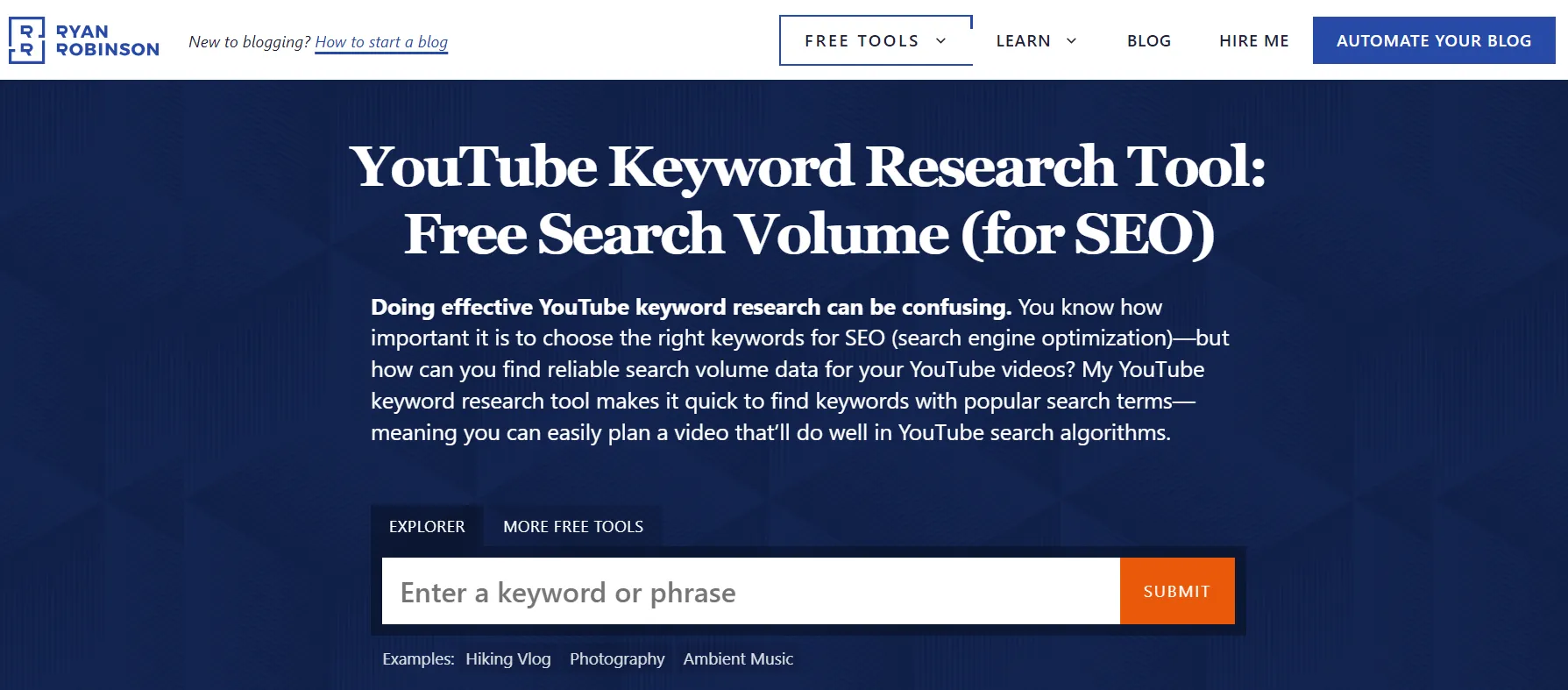
A clean, simple tool. You enter a seed keyword and it returns a list of long-tail variations based on YouTube autocomplete. No login. No upsells. The phrasing it surfaces often differs from what keyword databases predict, because it pulls directly from what real users type into YouTube search.
Pricing: Free.
Reviews: No third-party rating listing found. It is a single free utility on a personal blog rather than a product with a review-site profile, so there is no verifiable star rating to report.
Key Advantages
- Zero friction: no account, no setup, immediate results
- Surfaces real autocomplete phrasing, which is often more accurate than database-derived suggestions
- Good for generating a long list of keyword variations quickly
Key Limitations
- No volume or competition data at all. You get a keyword list and nothing else.
- Works best as a starting point, not a decision tool
Verdict: Useful at the start of research for surfacing keyword variations. Pair it with TubeBuddy or Semrush to add volume and competition data before acting on anything it returns.
5. Semrush Keyword Analytics for YouTube
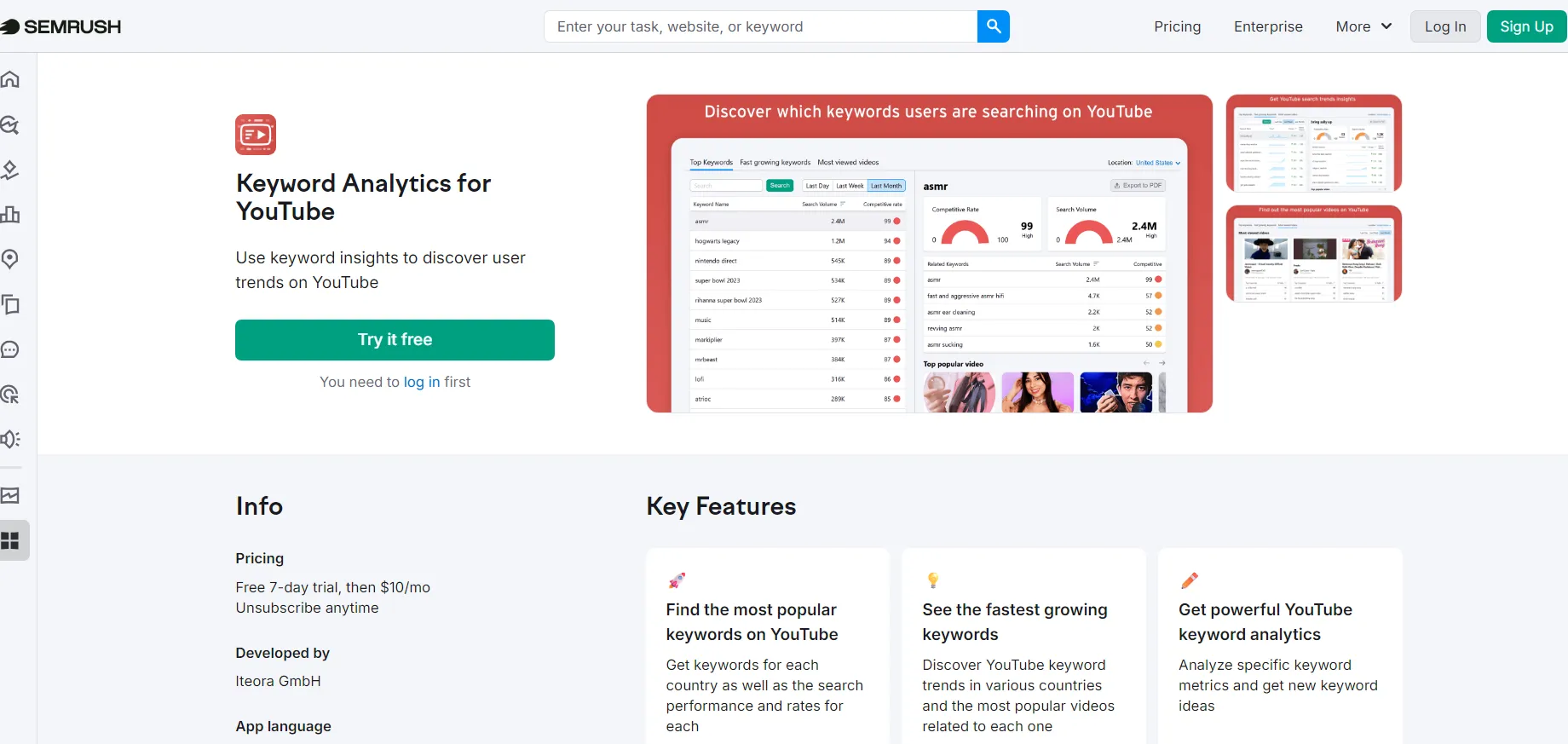
The Keyword Analytics for YouTube app is a standalone product within the Semrush ecosystem. You do not need a full Semrush subscription to use it. It gives you monthly search volume, competition level, trend data, and related keyword suggestions specifically for YouTube.
Pricing: $10/month as a standalone app.
Reviews: 4.6/5 on Capterra from 2,322 reviews. (Worth noting honestly: Semrush draws recurring billing and cancellation complaints on some review sites, so read the cancellation terms before subscribing.)
Key Advantages
- Cross-channel view: if you are building content across a blog and a YouTube channel, Semrush shows how the same audience searches across both platforms
- Strong data quality on volume and competition
- Accessible without a full Semrush subscription
Key Limitations
- Interface assumes familiarity with SEO concepts like keyword difficulty scores, SERP features, and intent classification
- For business owners without an SEO background, the output can be harder to act on than simpler tools
Verdict: At $10/month, a reasonable addition if you are doing active YouTube keyword research and want volume and competition data beyond what free tools provide.
So what does this actually mean for your business? The $10/month entry point makes this more accessible than the full Semrush suite. The data quality is strong. The context required to act on it effectively still requires some SEO literacy.
Read more: How search intent shapes your YouTube SEO strategy
6. Morningfame
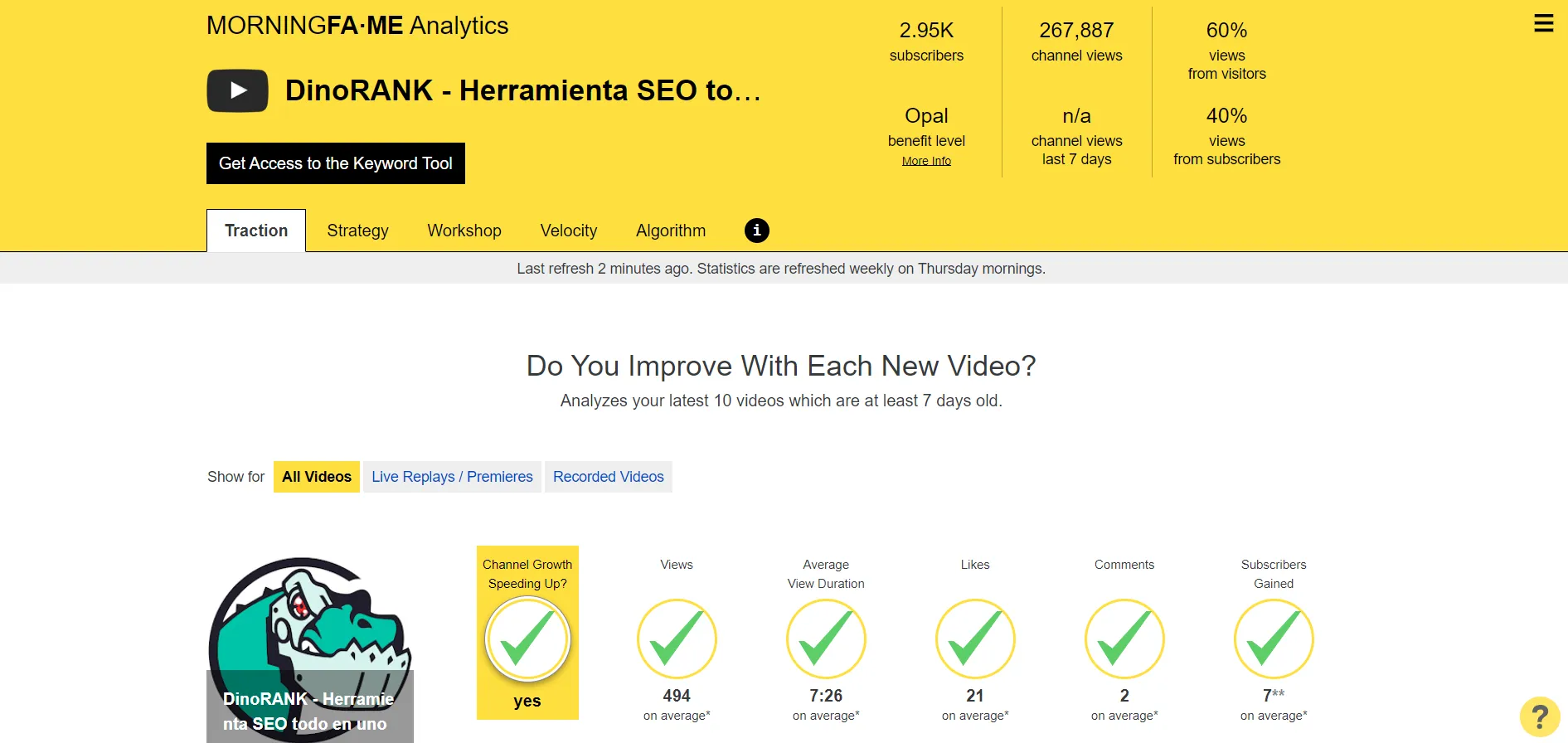
Morningfame is a YouTube analytics and optimisation platform that takes a different approach to performance tracking: instead of measuring you against all of YouTube, it compares you against channels of similar size. For a 500-subscriber business channel, that framing produces more actionable comparisons than being benchmarked against channels with 500,000 subscribers.
Pricing: Invite-based access. Basic is $4.90/month and Plus is $12.90/month (about $59 to $155/year). See morningfa.me for current pricing.
Reviews: No third-party rating listing found. Its Product Hunt listing exists but has zero reviews, and we found no verifiable rating on the major review platforms, so we report the absence rather than invent a number.
Key Advantages
- Peer benchmarking against channels of similar size, a more useful frame than absolute metrics
- Breaks down each video’s SEO performance with specific, actionable guidance
- Designed to make analytics accessible without an SEO background
Key Limitations
- Growth metrics tracked (views, subscribers, watch time) are creator-focused, not buyer-intent focused
- Does not diagnose whether your metadata is targeting decision-stage queries
Verdict: A good fit for business owners who want structured analytics and a benchmarked view of where they stand. Complements a tool focused on buyer-intent diagnosis rather than replacing it.
7. Manual YouTube Search: The Baseline Method
This is not a tool. It is the step most people skip, and it is often the most informative one.
Reviews: Not applicable. This is a manual method using YouTube search itself, so there is no product to rate.
Open YouTube. Type your keyword. Look at the first five results. Who made them? A media brand with hundreds of thousands of subscribers? A handful of mid-sized channels in your niche? Someone with 2,000 subscribers whose video is two years old?
That tells you more about real competition than any score.
The YouTube competition checker automates part of this: it pulls the top 5 videos for any keyword with view counts, age, and beatable signals. But you should still watch the top results yourself to assess content quality and intent alignment.
Use it as a five-minute sanity check before committing to a keyword. A tool scores competition. Manual search shows you what a buyer actually sees. Those are different things, and the difference matters. It’s also worth learning how to see which keywords your videos are already winning, since existing wins are cheaper to expand than new keywords are to chase.
Which YouTube SEO Tool for Your Situation: A Cheat Sheet
Skip the full comparison and match your exact need to a pick. Each row is a real scenario business owners search for, with the tool we would reach for and why.
| Your scenario | Best choice | Why |
|---|---|---|
| Best free tool, no signup to start | SellonTube | Free, 3 analyses with no login, and the only one that diagnoses buyer-intent alignment |
| Diagnose why videos get views but no leads | SellonTube | Checks five SEO dimensions and returns a specific metadata fix for each gap |
| Find buyer-intent keywords fast and free | RyRob's Keyword Tool | Free autocomplete-based variations with zero friction; pair with a volume tool |
| Check search volume and competition | Semrush or TubeBuddy | Both report volume and estimated competition so you can size a keyword before acting |
| Cross-platform keyword research (blog + YouTube) | Semrush | The $10/month app shows how the same audience searches across both platforms |
| Competitor and trend tracking | vidIQ | Its competitor analysis and daily ideas feed surface what is gaining traction in your niche |
| Bulk metadata edits across a large channel | TubeBuddy | Its bulk processing suite saves real time when managing many uploads |
| Test which title earns clicks | TubeBuddy | Built-in A/B testing for titles and thumbnails no other tool here offers |
| Channel analytics benchmarked to your size | Morningfame | Compares you against channels of similar size instead of all of YouTube |
| Reality-check real competition for a keyword | Manual YouTube search | Shows what a buyer actually sees in the top results; a score cannot do that |
What the Free Tools Save You vs the Paid Ones
For a business channel under 50 videos, the free tools do the core job, so the question is what a paid tool actually costs you per year. Here is the math, done for you.
- Free stack costs $0/year. The SellonTube YouTube SEO Tool (our tool) and RyRob’s Keyword Tool are both free with no signup to start (SellonTube asks for a free business email after 3 analyses), so diagnosis and keyword discovery cost $0/year combined.
- TubeBuddy. From $4.99/month is about $60/year for the entry paid tier. Worth it if you specifically need bulk editing or A/B thumbnail testing, which the free tools do not offer. If you do not need those, it is $60/year for features you will not use.
- vidIQ Pro. Around $7.50/month works out to roughly $90/year (the rate is an estimate, not a confirmed flat USD price). That is about $90/year for competitor tracking and a daily ideas feed; the free tier already covers light use.
- Semrush YouTube app. At $10/month it is $120/year, the priciest single tool here, justified only if you want volume and competition data across both your blog and YouTube channel.
- Morningfame. From $4.90 to $12.90/month is about $59 to $155/year for benchmarked channel analytics, an analytics layer rather than a keyword or metadata tool.
The honest bottom line on cost
A free diagnosis plus a metadata rewrite beats a $120/year tool nobody acts on. Start with the free SellonTube tool and RyRob's keyword tool at $0/year, and add a paid tool only when a specific feature (bulk editing, A/B testing, cross-platform data) solves a real bottleneck.
Why keyword intent matters more than search volume
A keyword with 500 monthly searches from people actively evaluating a product will drive more business than a keyword with 50,000 searches from people who are just curious. Most YouTube SEO tools surface volume. Few surface intent. That gap is where most business channels fail.
What to Do This Week
1. Run your three most important business videos through the SellonTube YouTube SEO Tool. For each one, note the primary issue flagged. Look for a pattern across all three. If the same dimension keeps coming up, that is your channel’s biggest SEO gap, not a one-off problem.
2. Take the buyer-intent keyword from each video’s diagnosis. Follow our YouTube keyword research process to validate it. Open RyRob’s tool or TubeBuddy and check whether it has meaningful search volume. If volume is low, look at the related keyword suggestions for variants with similar intent but more searches.
3. Rewrite the titles and opening description lines of your two lowest-performing videos using the fixes from step one. Use the YouTube description generator to draft SEO-optimized descriptions with timestamps and tags. Keep changes targeted. The goal is to align the metadata with the buyer query, not to rewrite the video itself.
4. In 30 days, check those two videos in YouTube Studio. Look at the impression click-through rate and the search traffic breakdown. If both have moved, the rewrite worked. If not, run the videos through the SellonTube tool again. There may be a second-layer issue the first diagnosis did not surface.
5. Once your existing videos are fixed, plan what to make next. Use a YouTube video ideas generator to get buyer-intent ideas matched to your specific product and target customer, before committing to a new video.
Common Questions
Picking the right tool
What is the best free YouTube SEO tool for my small business?
The SellonTube YouTube SEO Tool (our tool) is free and built specifically for business use cases. You paste a video URL and your website URL, and get a plain-English diagnosis of why the video is not reaching buyers. No login for your first 3 analyses, then a free business email. For keyword research, RyRob’s YouTube Keyword Tool is also free and works well as a starting point for surfacing long-tail keyword variations.
How do I find buyer-intent keywords for my YouTube videos?
Before diving into keyword research, make sure your channel is structured for business, not creator metrics. Our guide on how to create a YouTube channel for your business covers the foundation. Then start with the problem your product or service solves. Think about the phrases someone types when they are evaluating options, not just learning about a topic. Phrases that include “best,” “for [your audience type],” “vs,” or “[product category] review” tend to attract decision-stage viewers. Use RyRob’s tool to generate variations, then use Semrush or TubeBuddy to check volume and competition. Then use the SellonTube tool to confirm your video metadata is aligned with those phrases before publishing.
Comparisons
Is TubeBuddy or vidIQ better for my B2B channel?
Neither was built specifically for B2B. TubeBuddy is the stronger choice if you need workflow tools: bulk editing, thumbnail A/B testing, and channel management. vidIQ is better if you want competitor tracking and trend monitoring. For B2B channels focused on buyer-intent traffic, neither replaces a tool that diagnoses whether your video metadata is actually targeting decision-stage queries rather than general curiosity searches.
Can I use these YouTube SEO tools together?
Yes, and they work best as a stack rather than in isolation. A practical sequence: use RyRob’s tool to generate keyword variations, use TubeBuddy or Semrush to check volume and competition on the best candidates, then use the SellonTube YouTube SEO Tool to diagnose whether your video metadata is actually aligned with the keyword you chose. After publishing, track your positions with a YouTube rank checker to see which videos are climbing. Each tool covers a different layer. None of them covers all four on its own.
Pricing and free options
How much do YouTube SEO tools cost?
The free options are the SellonTube tool (ours) and RyRob’s keyword tool, both $0 with no signup to start (SellonTube asks for a free business email after 3 analyses). Paid tools are roughly: TubeBuddy from $4.99/month (about $60/year), vidIQ Pro around $7.50/month (about $90/year, an estimate not a confirmed flat USD price), the Semrush Keyword Analytics for YouTube app at $10/month ($120/year), and Morningfame from $4.90 to $12.90/month (about $59 to $155/year). For a channel under 50 videos, the free tools cover the core job.
Are paid YouTube SEO tools worth it for a small business channel?
For most channels under 50 videos, no. The free SellonTube tool plus RyRob’s keyword tool cover diagnosis and keyword discovery at $0/year, versus $60 to $155/year for the paid options. Paid tools earn their cost once you need bulk editing (TubeBuddy), A/B thumbnail testing (TubeBuddy), or cross-platform keyword data (Semrush at $10/month). Start free and upgrade only when a specific paid feature solves a real bottleneck.
Related guides: Continue your tool research with our companion comparisons on the best YouTube autocomplete keyword tools, best YouTube video ideas generators for businesses, best YouTube transcript generators, and the best YouTube rank checker tools for business.
Ready to fix your YouTube SEO?
Get a personalised channel diagnostic
Find out exactly why your videos are not reaching buyers and what to fix first.
Book a diagnostic call
Could YouTube work for your business?
We build done-for-you YouTube channels that turn search intent into qualified leads. Check if the math works for you.