· Updated ·  Sathyanand S · Tools & Resources · 28 min read
14 Best YouTube Video Ideas Generators (2026)
14 YouTube video idea generators ranked for business channels. Rated by buyer-intent filtering, B2B relevance, and lead generation potential.
You posted 40 videos this year. Your analytics show a few hundred views each. Your website traffic from YouTube sits at single digits per week, no enquiries, no leads, no one reaching out to buy. Every idea came from a YouTube video ideas generator built for creators optimising for watch time. Not for businesses optimising for revenue.
The problem is not effort. Many YouTube video idea generators ask for your niche and return topics calibrated for the algorithm. They do not know what your customers search before they buy. They cannot tell the difference between a video that builds purchase intent and one that just performs well in suggested feeds. A business channel needs a fundamentally different kind of idea. (If you haven’t set yours up yet, here’s how to create a YouTube channel for your business.)
This list covers the 14 best YouTube video ideas generators available in 2026, ranked for business use. SellonTube’s tool is listed first because it was built for this specific problem. Once you have a shortlist of ideas, run them through the idea validation tool to score which ones are worth filming first.
A YouTube video ideas generator is a tool that turns a topic, niche, or business description into a list of suggested video concepts you can film. The best ones for businesses generate ideas tied to what buyers search before purchasing, not topics calibrated only for views and watch time.
Last updated: June 2026. Methodology: each tool was used hands-on and judged against the four criteria below (business relevance, idea specificity, input flexibility, and workflow fit). Pricing was checked against each tool's live pages as of June 2026; verify before buying. Ratings shown are real third-party ratings with the platform and source linked. Where a tool has no meaningful third-party rating, we say so rather than invent one. We also state plainly when a listed tool is not actually a video ideas generator (for example a transcription tool, a landing-page builder, or a views-selling service).
Key Takeaways
- SellonTube ranks first because it maps ideas to buyer intent and business outcomes, not trending topics built for watch time.
- vidIQ and TubeBuddy suit established channels that want data-backed, SEO-informed ideation tied to existing analytics.
- 1of10 and TubeMagic are strongest for research: outlier detection and competitor channel analysis before you pick a topic.
- UTubeKit, SpeakNotes, and Embarque give free, zero-friction ideas with no account required. Several others on this list (SpeakNotes, LenosTube, Embarque, Instapage, VEED.io, Renderforest) are not really idea generators, so read the type note before trusting the output.
- Tools were rated on business relevance, idea specificity, input flexibility, and workflow fit.
Table of contents
Best for business-focused ideation
Best free general-purpose generators
Best as part of a wider content workflow
At a glance
All pricing is as of June 2026.
| Tool | What it actually is | Free plan? | Pricing (June 2026) |
|---|---|---|---|
| SellonTube | Business-focused ideation tied to buyer intent | Yes | Free |
| vidIQ | YouTube optimisation suite with AI ideation | Yes | Free tier. Pro from ~$7.50/mo |
| 1of10 | Outlier-research platform with idea generator | Yes | Free; Basic $29/mo; Pro $69/mo |
| TubeMagic | Channel-URL competitive research tool | No | $41/mo or $497/yr |
| Embarque | SEO content agency (free generator as lead magnet) | Yes (tool) | Custom / contact for pricing |
| RyRob / RightBlogger | Blogging AI suite with idea generator | No | Solo from $49/mo (annual); 14-day trial |
| UTubeKit | Free YouTube tool suite with reasoning | Yes | 100% free, no signup |
| SpeakNotes | Transcription / meeting-notes tool (side generator) | Yes | Free; Pro approx $24.99/mo |
| Toolsaday | Broad AI writing suite with idea generator | Yes | Free; Standard $7.99/mo to Max $99.99/mo |
| LenosTube | Buy-views / engagement service (not a subscription tool) | n/a | Paid views from ~$2.70/1,000 |
| Renderforest | Video creation / design platform | Yes | Free; Lite ~$13.09/mo; Pro ~$39.29/mo |
| VEED.io | Video creation / editing platform | Yes | Free; Creator $12/user/mo to Studio $39/user/mo |
| TubeBuddy | YouTube optimisation suite with topic planner | Yes | Free tier. Paid from $4.99/mo |
| Instapage | Landing-page builder (free generator as lead magnet) | Yes (tool) | Create $79/mo; Optimize $159/mo (annual) |
What the free tools save you (annual, June 2026)
Six tools here cover idea generation at no cost: SellonTube, UTubeKit, Toolsaday (free tier), Renderforest (free tier), Instapage's free generator, and VEED.io's free plan. If you would otherwise pay for ideation, here is the gap, on the lowest realistic paid plan for each:
- vs vidIQ Pro (~$7.50/mo): about $90/year saved.
- vs 1of10 Basic ($29/mo, $349/yr): about $349/year saved.
- vs TubeMagic ($497/yr): about $497/year saved.
- vs RightBlogger Solo ($49/mo annual, $588/yr): about $588/year saved.
- vs Instapage Create ($79/mo, $948/yr): about $948/year saved.
Picking SellonTube (free, built for buyer-intent ideation) over a mid-tier paid suite at roughly $40 to $90 per month avoids about $480 to $1,080 per year, with no loss of business-focused idea quality.
What makes the best YouTube video ideas generator for businesses?
Every tool on this list was evaluated against four criteria. First, business relevance: does it generate ideas tied to what buyers actually search before making a purchase decision, or does it just chase trending topics and watch time? Second, idea specificity. Vague output like “make a video about your product” is not a video idea. The tool needs to return something you can film next week. Third, input flexibility. The best tools let you describe your business model, your audience, and your goals. A prompt box that only accepts a niche keyword limits what comes back. Fourth, workflow fit. An idea generator that sits inside a broader content planning system saves time compared to one that hands you a list and walks away. This list is ordered for business channels, not creator channels.
1. SellonTube YouTube Video Ideas Generator

SellonTube pros:
- Built specifically for business channels, not creator channels
- Ideas mapped to buyer intent and business outcomes, not trending topics
SellonTube cons:
- Newer tool, smaller brand recognition than vidIQ or TubeBuddy
- Best results come when you give it specific business context, not just a broad niche
SellonTube’s YouTube video ideas generator does one thing differently from every other tool on this list: it generates ideas mapped to business outcomes. Not trending topics calibrated for watch time. The ideas are designed around the questions buyers have before they make a buying decision. It was built for Shopify store owners, B2B companies, SaaS founders, business coaches, service businesses, and international founders growing through YouTube. The next step is to convert those ideas into booked calls, not just views.
Every other generator on this list asks for your niche. SellonTube asks for your business model. The output reflects that difference. The ideas come from the SellonTube team’s real experience running YouTube content strategy for business clients. Not scraped trend data. Patterns from actual client results, specifically what attracts the right viewers, earns trust, and converts them into customers.
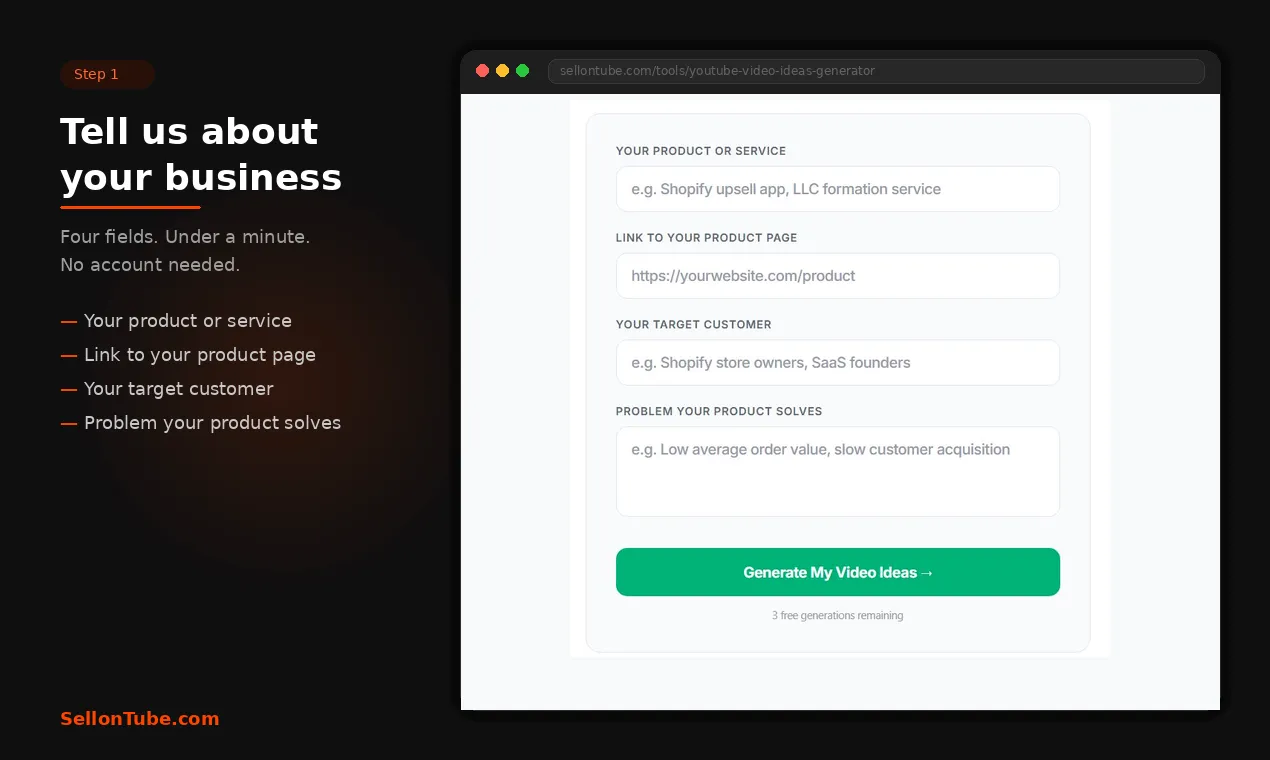
You describe your business, your audience, and what you sell. The tool returns video ideas built around purchase intent for that specific context. Try it at sellontube.com/tools/youtube-video-ideas-generator.
SellonTube price: Free (as of June 2026).
Reviews: No third-party rating (this is our own tool, disclosed). First-party proof instead: every run returns five concrete, filmable ideas mapped to a buyer-intent stage for the exact business context you enter, which you can verify against your own product in under a minute.
2. vidIQ

vidIQ pros:
- Data-driven suggestions that improve the more you use it
- Connected to a full YouTube optimisation suite including Title Generator, Script Writer, and Content Generator
vidIQ cons:
- Needs existing channel history to personalise well, making it less useful for businesses starting a channel from zero
- Ideas are calibrated for performance metrics, not specifically for business buyer intent
vidIQ’s AI analyses trending topics, keywords, and audience behaviour to suggest video ideas. Connect it to your YouTube channel and it learns your content style over time, refining suggestions with each use. The system is trained on data from millions of videos, so the recommendations get sharper as it collects more data about what works for your specific channel.
For businesses with an established channel and at least a few months of upload history, vidIQ is one of the stronger options. It sits inside a larger suite that covers titles, scripts, and content generation, so the idea is just the starting point of a longer workflow. That integration matters when you are producing videos consistently.
Where it falls short for business channels is intent. vidIQ optimises for performance. Views, click-through rate, watch time. Those matter, but a business channel also needs ideas that attract people who are close to a buying decision. vidIQ does not distinguish between a video that gets 50,000 views from casual browsers and one that gets 2,000 views from ready-to-buy prospects. For more on why buyer intent matters more than view counts, see our YouTube marketing ROI analysis. Once you have your idea, our YouTube Title Generator can score titles for buyer intent before you publish.
vidIQ price: Free tier. Paid plans from approximately $7.50/month (Pro) as of June 2026.
Reviews: 4.5/5 on the Chrome Web Store from about 10,900 ratings, and 4.3/5 on Capterra from 61 reviews.
3. 1of10

1of10 pros:
- Finds untapped angles using real performance data before you commit to a topic
- Strong for businesses who want to study what is working in their niche first
1of10 cons:
- More analytical than generative, requiring more time investment than prompt-based tools
- The idea generator is one feature inside a broader research platform
1of10 takes a research-first approach. Its outlier detection identifies videos performing significantly above a channel’s average views. The platform looks at your channel, your niche, and current trends to surface ideas backed by real data. Trusted by over 10,000 YouTubers, its feature set includes a Niche Explorer, Competitor Tracker, Bookmarks, and Shorts Outliers alongside the Idea Generator.
The real value for business channels is in the research layer. You can hover over any video in the Competitor Tracker and instantly generate new ideas inspired by it. One documented result: a creator identified an 18M-view video that was 6x the channel’s average, used the insight to produce a video that reached 2.6M views, a 185.7x outlier for their own channel. That kind of pattern recognition is hard to replicate with a simple prompt box.
The trade-off is time. 1of10 rewards patience. You need to spend time in the Competitor Tracker and Niche Explorer before the Idea Generator becomes genuinely useful. For businesses willing to invest that research time upfront, the ideas that come out tend to be more grounded than what you get from tools that only ask for a keyword.
1of10 price (June 2026): Free tier; Basic $29/month ($349/year); Pro $69/month ($828/year).
Reviews: No verified third-party rating found. The platform cites its own user numbers, but no independent review-site listing with a rating and sample size is available, so we report the absence rather than invent one.
4. TubeMagic
TubeMagic pros:
- Standout for competitive research: paste any YouTube channel URL and generate ideas based on that channel’s content patterns
- Businesses can model content strategy after a top channel in their niche or track what competitors are making
TubeMagic cons:
- No free plan: the whole tool is behind a paid subscription
- Lighter on SEO data compared to dedicated analytics tools
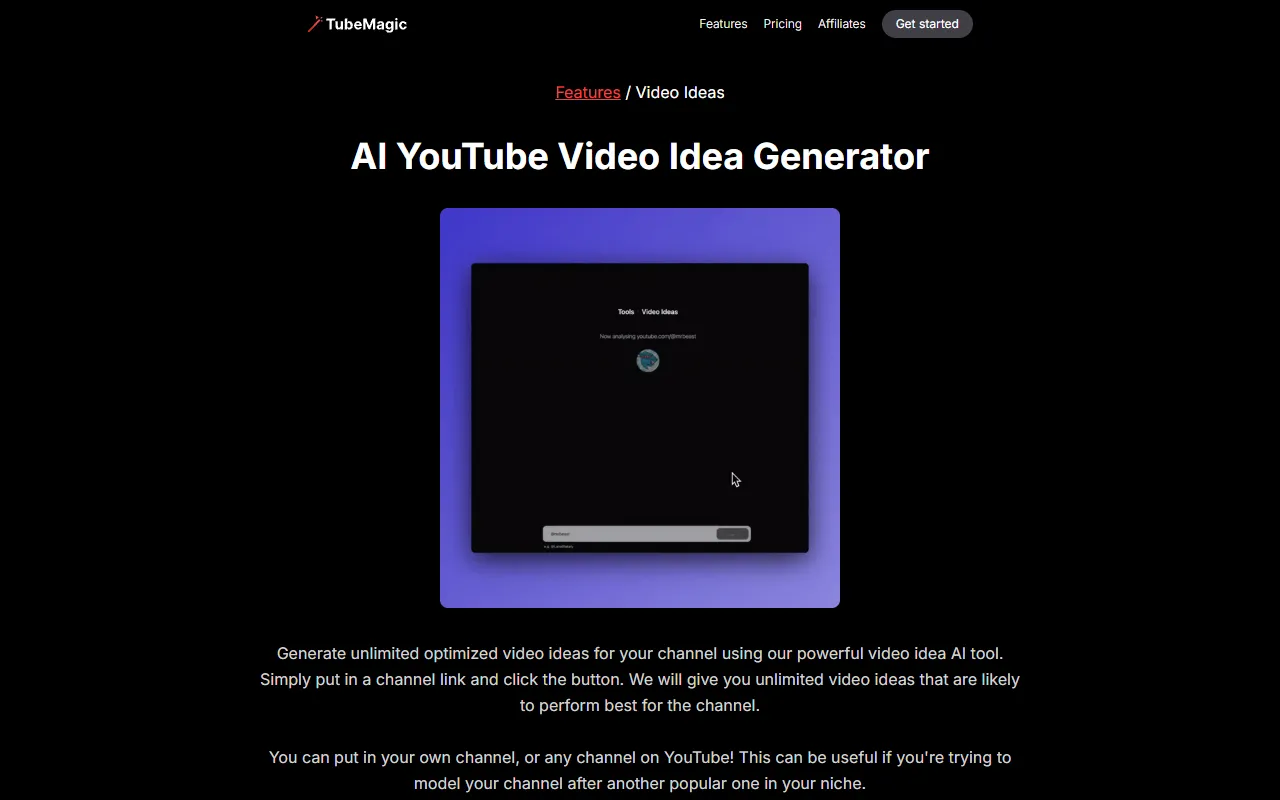
TubeMagic’s standout feature is simple and effective. Paste any YouTube channel URL, yours or a competitor’s, and it generates ideas based on that channel’s content patterns. For a business owner who has identified two or three competitors with strong YouTube presence, this turns their entire content library into a research source.
It also does keyword-based idea generation, so you are not locked into the channel analysis approach. All generated ideas are saved in your account logs for later reference. That logging feature is easy to overlook, but it matters when you are building a content calendar over weeks rather than grabbing one idea at a time.
The limitation is cost. TubeMagic has no free tier, so the channel-link feature (its strongest selling point for business use) sits behind a single paid plan. Several free tools lower on this list cover basic keyword-based generation at no cost.
TubeMagic price (June 2026): $41/month or $497/year. No free tier.
Reviews: No verified third-party rating found. There are scattered, unverifiable testimonial snippets but no independent review-site listing with a rating and sample size, so we report the absence rather than attribute one.
5. Embarque

Embarque pros:
- SEO-informed idea generation with genuinely flexible inputs: niche, content type, target audience, keywords, and preferred video length
- Completely free with no account required
Embarque cons:
- A free lead-generation tool for Embarque’s SEO agency, with limited depth versus dedicated YouTube platforms
Embarque is an SEO content agency, and the free idea generator is a lead magnet for that service rather than a standalone product. That agency background shows in the output: the ideas lean toward search intent rather than pure virality, which is closer to what a business channel needs. Inputs include your niche, content type, target audience, relevant keywords, and preferred video length. You can choose to generate between 1 and 10 ideas per run.
No registration, no ads, no account wall. That alone puts it ahead of several tools that gate basic functionality behind a signup. For a business owner who wants 10 quick ideas aligned with search behaviour and does not want to create yet another account, Embarque is a clean option.
The depth is limited. This is a free tool designed to attract potential clients to Embarque’s SEO services. It does what it does well, but it is not a YouTube-specific platform with channel data, analytics, or content planning features.
Embarque price (June 2026): The idea generator is free with no account. Embarque’s actual SEO services are credit-based with no public dollar figures, so it is custom / contact for pricing.
Reviews: No verified third-party rating found for the free idea generator. We report the absence rather than borrow a rating from Embarque’s broader agency offering.
6. RyRob / RightBlogger

RyRob / RightBlogger pros:
- Strong tone customisation with 20+ options: Formal, Casual, Professional, Authoritative, Humorous, Storytelling, and more
- Idea generation sits inside a large blogging AI suite (30+ languages, saved ideas) once you are on a paid plan
RyRob / RightBlogger cons:
- Built primarily for bloggers, so business-specific YouTube ideation requires careful prompting to get relevant output
- No free plan: the full suite is paid after a 14-day trial
Powered by the RightBlogger platform built by Ryan Robinson, this generator stands out for tone control. Twenty-plus style options let you match the ideas to your brand voice before you even start scripting. A financial services firm and a streetwear brand need different kinds of YouTube content ideas. Many generators ignore that. This one gives you a dial.
Each run produces 10 ideas. RightBlogger is a paid blogging AI suite, not a free standalone tool: the idea generator is one of many tools you get after a 14-day trial, and the paid plan adds 30+ languages and saves generated ideas to your account, which helps if you are building a backlog.
The tool was designed for bloggers first. YouTube idea generation is one of many content tools in the RightBlogger suite. The output works best when you prompt it carefully with business-specific language rather than broad niche terms. A prompt like “B2B SaaS onboarding walkthrough” returns better results than just “software.”
RyRob / RightBlogger price (June 2026): No free plan. Solo $59/month ($49/month billed annually), Pro $89/month ($69 annual), Agency $299/month ($199 annual). 14-day trial.
Reviews: No verified third-party rating found for the RightBlogger YouTube generator specifically. We report the absence rather than attribute a rating from elsewhere.
7. UTubeKit
UTubeKit pros:
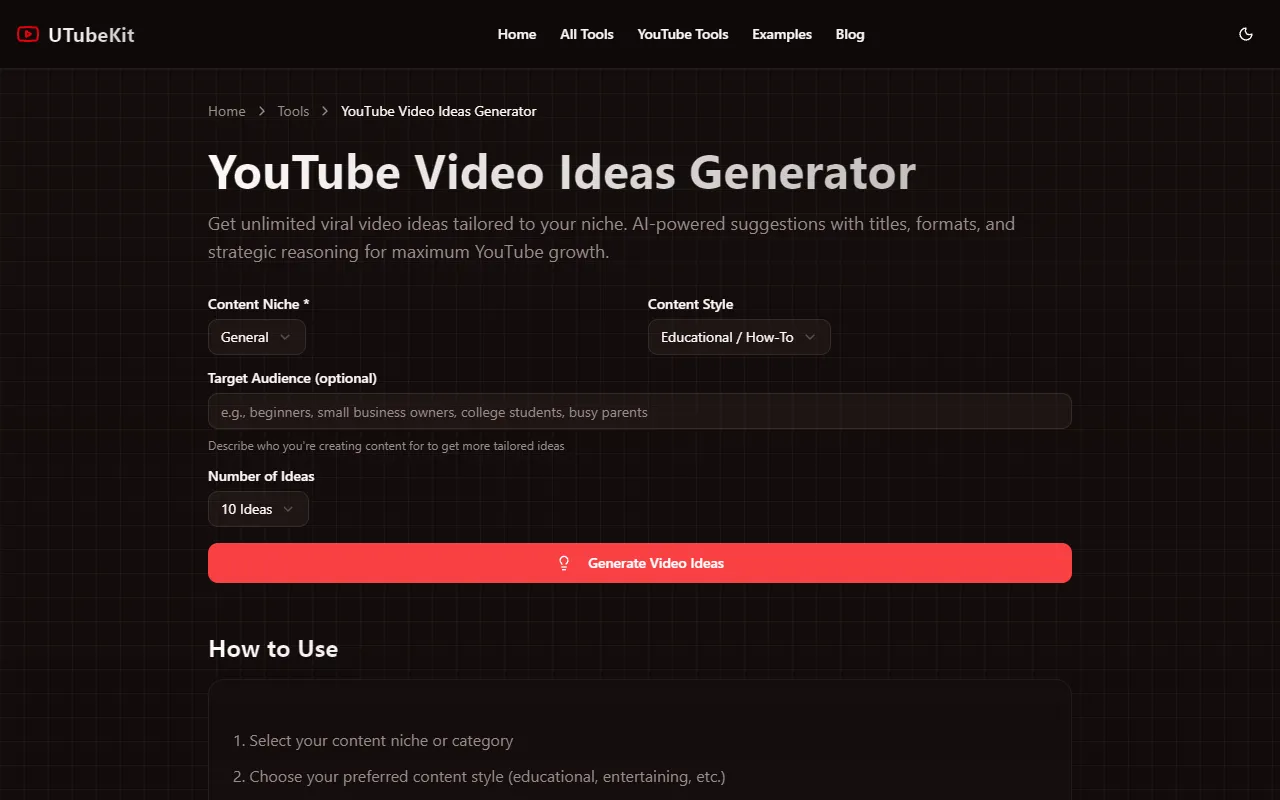
- Each idea includes a suggested title, difficulty level, and strategic reasoning explaining why it could perform
- Zero friction: no signup, completely free
UTubeKit cons:
- Newer tool with a smaller dataset than established platforms like vidIQ
UTubeKit does something most free generators skip. Each idea comes with context: a suggested title, a difficulty level, and a short explanation of why the topic might work. That reasoning layer turns a bare list of ideas into something you can actually evaluate before committing time to production.
Inputs are straightforward. Content niche, content style (educational, entertaining, and other options), an optional target audience description, and the number of ideas you want. Part of a broader suite that includes a Title Generator, Keyword Generator, and Video Script Writer.
For a business owner who wants more than a list of titles but does not need a full analytics platform, UTubeKit fills a gap. The strategic reasoning alone makes it more useful than tools that hand you 10 titles with no explanation of what makes them worth filming.
UTubeKit price (June 2026): 100% free, no signup.
Reviews: No verified third-party rating found. UTubeKit is a newer free tool suite with no established review-site listing, so we report the absence rather than invent one.
8. SpeakNotes

SpeakNotes pros:
- Zero friction: the fastest tool on this list to get a starting point
- No account required
SpeakNotes cons:
- Bare-bones with no customisation options
- A side tool, not central to SpeakNotes’ core product of AI audio transcription and meeting notes
SpeakNotes is not really a video ideas generator. It is an AI transcription and meeting-notes tool, and the idea generator is a small free side feature. Within that limited scope, it is the tool you reach for when you need a list of ideas in under 30 seconds and do not want to think about settings. Enter your main topic or theme, add an optional target niche, and hit generate. That is the entire interface.
The output is basic. No scoring, no reasoning, no keyword data. But sometimes you just need a prompt to break through a blank page, and SpeakNotes does that with less friction than anything else on this list.
It is part of SpeakNotes’ free tools collection. Their core product is AI audio transcription and meeting notes. The YouTube idea generator is a side feature, which means it is unlikely to receive the same development attention as tools from companies whose entire business is YouTube.
SpeakNotes price (June 2026): Free tier for the idea generator. SpeakNotes Pro is approximately $24.99/month (approx, third-party-sourced; verify on the SpeakNotes site).
Reviews: No verified third-party rating found for the YouTube idea generator. SpeakNotes is reviewed as a transcription tool, not an ideation tool, so we do not attribute that rating to this feature.
9. Toolsaday
Toolsaday pros:
- Integrates into a broader AI writing workflow covering story ideas, ad copy, blog tools, and more
- Simple inputs with no learning curve
Toolsaday cons:
- YouTube ideation is one of dozens of tools in the suite, with no channel integration, no analytics, and no YouTube-specific data
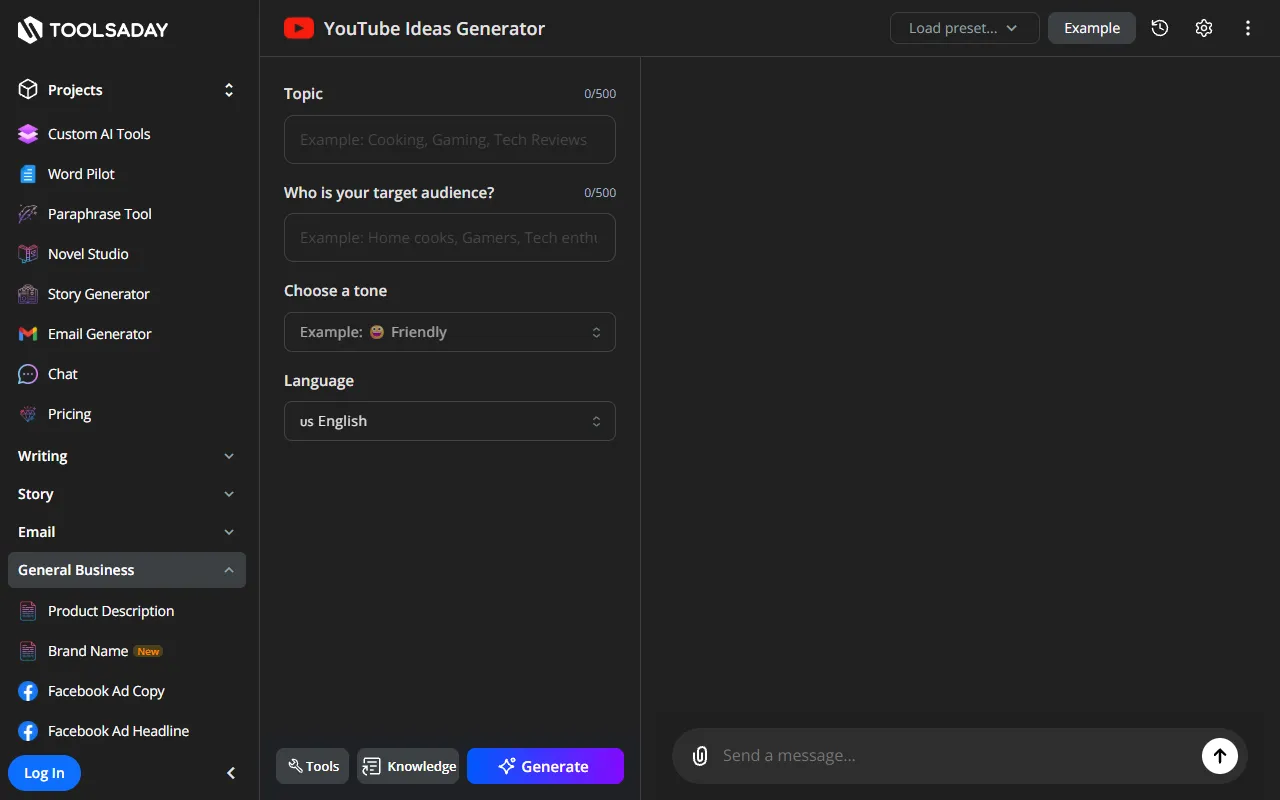
Toolsaday uses NLP to analyse trending topics and predict viewer response to different content types. Inputs are limited to your channel topic and target audience. The simplicity is both the appeal and the limitation.
If you already use Toolsaday’s writing suite for blog content, ad copy, or meta descriptions, adding YouTube ideation to the same workflow makes sense. Everything lives in one place. But the YouTube-specific depth is shallow compared to tools built exclusively for video content.
For a business owner juggling multiple content formats, the convenience of generating blog ideas, YouTube ideas, and ad copy from one platform has real value. For someone focused specifically on building a YouTube channel, the lack of video-specific data is a meaningful gap.
Toolsaday price (June 2026): Free; Standard $7.99/month; Pro $19.99/month; Ultra $39.99/month; Max $99.99/month.
Reviews: No verified third-party rating found for the YouTube idea generator specifically. Toolsaday is a broad AI writing suite, so we do not attribute a suite-level rating to this single tool.
10. LenosTube
LenosTube pros:
- The free idea generator is fast and frictionless, with a one-click copy button
- Produces 5 ideas in seconds with no account
LenosTube cons:
- LenosTube’s actual business is selling YouTube views, subscribers, and engagement, which violates YouTube’s terms of service and puts a business channel at real risk
- The free generator is only an acquisition hook for that paid service; just 5 ideas, no customisation
Caution: this is a buy-views service, not a subscription tool
LenosTube primarily sells YouTube views and engagement (paid views start around $2.70 per 1,000). Buying views or subscribers breaches YouTube's terms of service and can get a channel demonetised or suspended. We include the free idea generator for completeness only. We do not endorse the paid service, and for a business channel built on trust, buying engagement is a risk not worth taking.
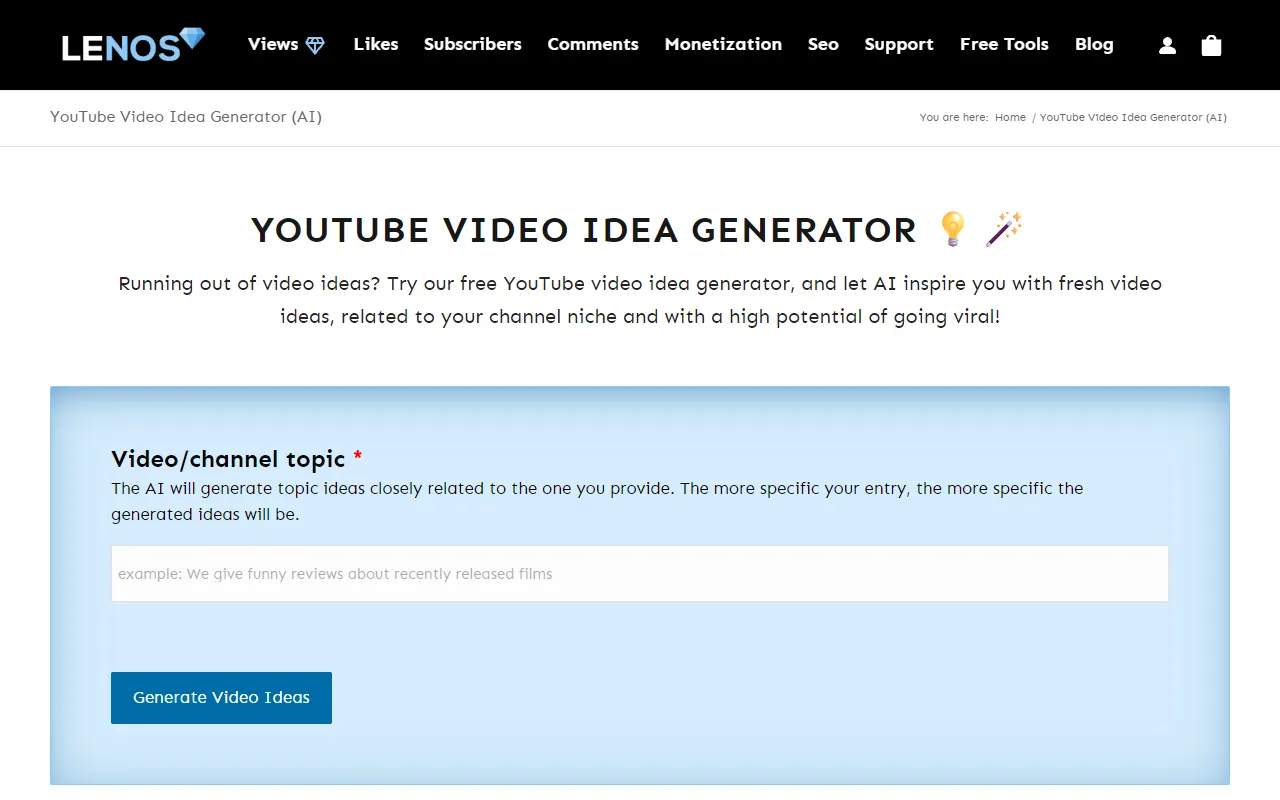
Enter a topic or niche. Get 5 ideas framed around viral potential. Copy them with one click. That is the full free workflow.
The free generator is fast and frictionless. No login, no settings, no configuration. If you only want a handful of quick prompts, it works in isolation.
The ideas are oriented toward virality rather than business outcomes. The wider LenosTube business sells YouTube views, subscribers, and engagement, so the generator exists as a free acquisition hook for that paid service. Five ideas with no customisation is enough to spark a thought, but not enough to plan a content calendar, and it is not a reason to engage the paid views service.
LenosTube price (June 2026): The idea generator is free. LenosTube’s core offering is paid YouTube views and engagement (views from approximately $2.70 per 1,000), which we do not recommend.
Reviews: No verified third-party rating found for the idea generator. Ratings that exist relate to the paid views service, which we do not endorse, so we do not surface them here.
11. Renderforest

Renderforest pros:
- Fast and simple keyword-based generation
- Connects to Renderforest’s broader video production and design tools if you want to build the video in the same place
Renderforest cons:
- Ideas trend generic without very specific keyword inputs
Renderforest is a video creation and design platform, not a dedicated ideation tool; the idea generator is one feature feeding its production suite. Its ML-based generator takes topic keywords and returns 10 ideas. The output quality depends heavily on how specific your keywords are. According to examples on their site, a travel creator entered “Bali, travel, beach” and received ideas including “A Lifestyle Traveler’s Guide to Indonesia’s Beaches.” A beauty creator used “lifestyle, beauty, tips, shopping” and produced two videos from the output.
The connection to Renderforest’s production suite is the real differentiator. If you already use Renderforest for video creation or design, generating ideas in the same ecosystem removes a step. For businesses already paying for Renderforest, the idea generator is a useful addition rather than a standalone reason to sign up.
Generic keywords produce generic ideas. The more specific you get with your input, including business type, audience, and product category in your keywords, the better the output.
Renderforest price (June 2026): Free; Lite approximately $13.09/month; Amateur approximately $19.64/month; Pro approximately $39.29/month (Capterra-listed; verify on the Renderforest site).
Reviews: 4.8/5 on Capterra from 407 reviews. Note that this rating covers the whole Renderforest platform, not the idea generator alone.
12. VEED.io

VEED.io pros:
- Goes from idea to production without leaving the platform, with a full video editor, caption generator, and production suite
- Covers multiple platforms in one pass: YouTube, TikTok, Instagram, LinkedIn
VEED.io cons:
- Idea generation is a small feature inside a large production platform, not built for deep content strategy or business-specific ideation
VEED.io is a video creation and editing platform, and it treats idea generation as the first step of production rather than a standalone activity. Select a platform (YouTube, TikTok, Instagram, or LinkedIn), choose a vibe or mood (casual, funny, informational, professional), and generate ideas that feed directly into VEED’s video editor. Teams at Facebook, Visa, P&G, Pinterest, Booking.com, and Hublot use the platform.
For businesses that publish across multiple platforms, generating ideas for YouTube, LinkedIn, and Instagram in one session cuts planning time. The vibe selector adds a layer of brand control that most generators lack.
The trade-off is depth. VEED.io is a production platform first. The idea generator exists to feed the editor, not to replace a content strategy tool. If you need ideas shaped by keyword research, buyer intent, or competitive analysis, pair VEED with one of the tools higher on this list.
VEED.io price (June 2026): Free plan; Creator $12/user/month; Pro $24/user/month; Studio $39/user/month (annual billing).
Reviews: 4.6/5 on G2 from approximately 2,095 reviews (per G2). Its Capterra listing is sparser at 3.2/5 from 62 reviews; we surface the G2 figure as the larger sample but show both so the picture is honest.
13. TubeBuddy Video Topic Planner

TubeBuddy pros:
- Idea generation backed by real keyword research and search volume data via Keyword Explorer
- Organises ideas into a full content calendar workflow with research notes and content queues
TubeBuddy cons:
- You are buying a suite, not a standalone generator. Idea planning is one part of a much larger optimisation platform.
- Requires connecting your YouTube channel
TubeBuddy’s Video Topic Planner is a content planning tool that lets you capture, organise, and develop YouTube video ideas in one place. It uses TubeBuddy’s Keyword Explorer to identify high-interest topics based on current trends and search volume. You can save keyword-rich topics, attach research notes, and organise ideas into a content queue. The browser extension integrates directly into YouTube Studio. Trusted by over 15 million creators, TubeBuddy reports that active users see 79% more views and 32% more subscribers than non-active users.
For businesses already committed to YouTube and looking for a YouTube video ideas generator that connects ideation to keyword data and scheduling, TubeBuddy is a strong fit. The content queue feature turns scattered ideas into an actual production plan.
The downside is that you are paying for an entire optimisation suite. If all you need is a quick list of ideas, TubeBuddy is overbuilt. But if you are running a YouTube channel as a serious business asset with weekly uploads, the planning infrastructure earns its cost.
TubeBuddy price (June 2026): Free tier. Paid plans from $4.99/month.
Reviews: 4.5/5 on the Chrome Web Store from about 8,500 ratings, and 4.6/5 on Capterra from 113 reviews.
14. Instapage

Instapage pros:
- Free standalone tool with no account friction
- Part of a marketing-oriented platform, which lends some business focus to the output
Instapage cons:
- Instapage’s core product is landing page software, so this generator is a peripheral free tool with limited depth
- Less YouTube-specific than dedicated tools on this list
Instapage is a landing page platform. Their YouTube video ideas generator is one of several free AI marketing tools they offer to attract potential customers. The tool itself is a simple input-based generator with no channel integration or analytics.
The marketing orientation of Instapage’s platform means the ideas lean slightly more business-friendly than tools built for entertainment creators. That is a minor advantage, but it is there.
For businesses already using Instapage for landing pages, having an idea generator inside the same ecosystem is convenient. For everyone else, the tools higher on this list offer more depth and YouTube-specific intelligence.
Instapage price (June 2026): The YouTube idea generator is a free tool. Instapage’s actual landing-page platform is paid: Create $79/month and Optimize $159/month (annual billing).
Reviews: 4.5/5 on Capterra from 365 reviews. This rating covers Instapage’s landing-page software, not the free idea generator.
Which YouTube video ideas generator is right for your business?
Start with what your business actually needs from YouTube. Then pick the tool that matches.
Pick by use case
- You want ideas tied to buyer intent and revenue, not views - SellonTube. Built specifically for this.
- You have an established channel and want data-backed SEO ideation - vidIQ or TubeBuddy. Both plug into your existing analytics.
- You want to research what is already performing before committing to a topic - 1of10. Its outlier detection shows you what is breaking through.
- You want to reverse-engineer a competitor's content strategy - TubeMagic. Channel URL in, content patterns out.
- You just need free, zero-friction ideas to get started - UTubeKit or SpeakNotes. Both are free with no signup and get you moving in under a minute (RyRob is paid after a trial).
- You want to go from idea straight into video production - VEED.io handles the full workflow end-to-end.
Built for businesses, not creators
Get 5 buyer-intent video ideas for your product
Free. 3 runs with no account. Results in 30 seconds.
Try the video ideas generatorRelated reading
- How to identify YouTube topics that attract ready-to-buy customers
- Why high-intent YouTube videos behave like SEO assets (for SaaS, agencies, and service businesses)
- YouTube vs. blog content: real conversion data from a Shopify app
- Build a YouTube marketing strategy that drives leads, not just views
- Step-by-step: create a YouTube channel for your business
Related tool guides: Pair this with our best YouTube SEO tools for business, best YouTube autocomplete keyword tools, and best YouTube transcript generators for the full business-channel toolkit. Once you have picked an idea, the script generator turns it into a filmable script.
FAQ
Basics: choosing and using a video ideas generator
What is the best YouTube video idea generator for small businesses?
For small businesses, SellonTube’s YouTube Video Ideas Generator is the strongest option because it maps ideas to buyer intent rather than trending topics, so the output is built around buyer-intent topic patterns. It is free, needs no account for the first 3 runs (then a free business email), and is built for business channels rather than creator channels. vidIQ and TubeBuddy are better if you already have an established channel and want data-backed, SEO-informed ideation. You can also browse our curated YouTube video ideas for business owners for ready-to-film topic lists.
How do I come up with YouTube video ideas for my business?
Start with what your customers search before they buy, not with trending topics. Use a video ideas generator that accepts business context (your product, audience, and the problem you solve), not just a niche keyword. Describe your business model and the buying decision you want to influence. Tools like SellonTube, vidIQ, and TubeBuddy can turn that context into specific, filmable topics tied to customer acquisition rather than raw views.
Comparisons: which tool wins for what
Is vidIQ or TubeBuddy better for business video ideas?
Both are strong for established channels, and the choice depends on your workflow. vidIQ leans toward AI-driven idea suggestions that sharpen as it learns your channel, and it sits inside a wider optimisation suite. TubeBuddy ties ideation to real keyword research and search-volume data through Keyword Explorer and organises ideas into a content calendar. Neither distinguishes a video that earns views from one that earns buyer intent, so pair either with a business-focused tool if customer acquisition is the goal.
Which YouTube idea tools are not really idea generators?
Several tools commonly listed as idea generators are built for something else. SpeakNotes is an AI transcription and meeting-notes tool with a side generator. Embarque is an SEO content agency offering a free generator as a lead magnet. Instapage is landing-page software. VEED.io and Renderforest are video creation and editing platforms. LenosTube’s core business is selling YouTube views and engagement, which is off-topic and risky for a business channel. Each can still produce ideas, but none is a dedicated, business-focused ideation tool.
Pricing and free options
Are YouTube video idea generators free to use?
Most are free or offer a free tier. As of June 2026, SellonTube, UTubeKit, Toolsaday, Renderforest, and Instapage are free with no required payment for basic idea generation, and most need no account. RightBlogger (RyRob), TubeMagic, and Embarque charge for their full feature set. vidIQ and TubeBuddy offer free tiers with paid plans that unlock channel analytics and keyword data. Choosing a free generator over a paid suite that runs about $40 to $90 per month saves roughly $480 to $1,080 per year.

Generate video ideas for your business
Stop guessing which topics to cover. The Video Ideas Generator turns your product, customer, and problem into buyer-intent video ideas. Free to try.
Could YouTube work for your business?
We build done-for-you YouTube channels that turn search intent into qualified leads. Check if the math works for you.